NFPA 72

Fire alarm inspection and testing, with a result for every device.

Put the central station on test, check the panel and batteries, then walk the building device by device. The report shows every detector, pull station and notification appliance with its result.

The form

What your inspectors record.

Fire alarm system inspection and test

NFPA 72
  • The system: control unit make, model and location; monitoring company, account and communication path
  • Control unit and power: normal panel, dedicated circuit, battery date, voltage under load and load test, annunciators, lamp test
  • Signals to the central station: alarm, supervisory and trouble, with the times on and off test
  • Interfaced functions: elevator recall, HVAC and smoke control, door holders and access control
  • Every device on its own row: what it is (smoke, heat, duct or beam detector, pull station, notification appliance, waterflow or tamper switch, module), how it was tested, and whether it operated and reported to the panel
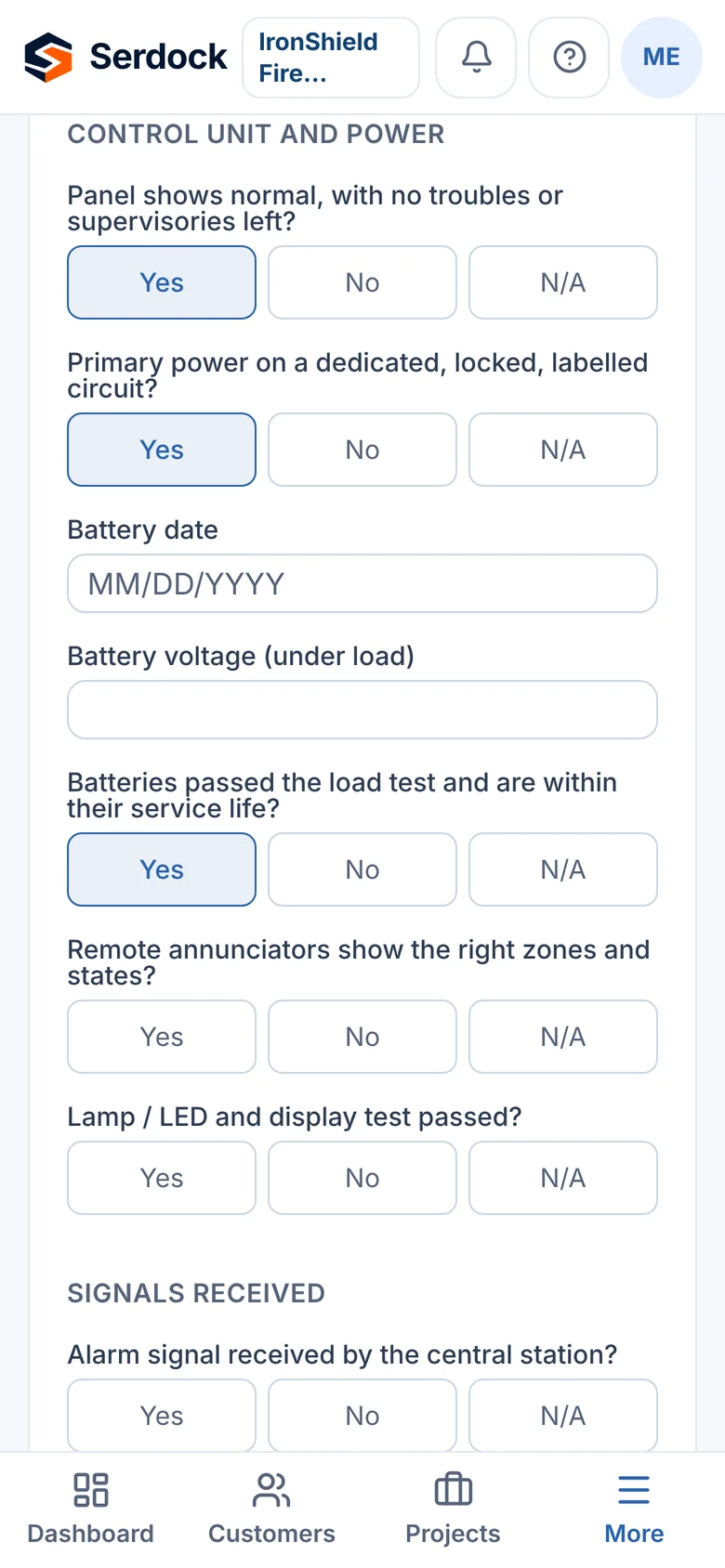
A fire alarm inspection on a phone: the control unit, batteries and signals to the central station

On an inspector’s phone

Why it works in the field

Device by device

Add each initiating device and appliance as you test it, with how it was tested and whether it reported to the panel.

Batteries on the record

The battery date, its voltage under load and the load test result are on every report.

The central station on the record

When the account went on test and came off, and which signals arrived, are part of the report.

Every inspection

And what every report in Serdock gets.

On a phone, on site

Forms built for one hand on a ladder: Yes / No / N/A answers, photos and voice notes, and nothing typed twice.

Deficiencies kept

Every "No" becomes a deficiency on the building and the device, with its severity, ready to quote.

Signed, sealed and sent

The inspector signs on screen, the report is sealed against changes, and the PDF reaches the customer the same day.

The next one scheduled

Submit an inspection and the building's next one is set from its interval, with reminders for your office and the customer.

Device tags with a QR code

Print tags for devices and buildings. A scan shows the inspection history and the next due date, on your own website.

In the customer's portal

Property managers see every report and open deficiency for their buildings, and approve repairs online.

Questions

Does the fire alarm form record each device's test?
Yes. Every device tested has its own row with its type, the test method and whether it operated and reported to the panel correctly.
Can we record the monitoring company and account?
Yes. The monitoring company, account number and communication path are part of the system section, with the times the account was placed on and taken off test.

See it with your own work in mind.

A 30-minute walkthrough, on the inspections and jobs you actually do.